环境搭建
为了方便ida ipython脚本等的学习,先在vscode中搭建一下ida python环境方便我们编写程序.
- 首先在在vscode中安装插件IDACode
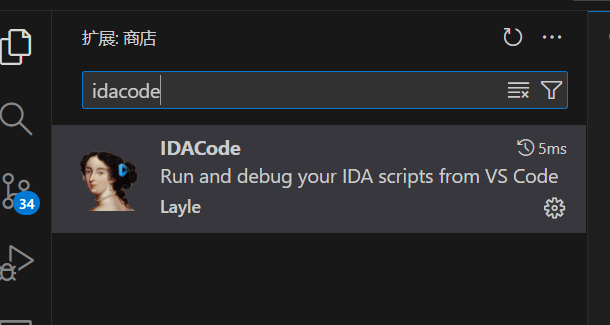
- 然后下载ida插件 https://github.com/ioncodes/idacode 根据官方文档中的教程把相关的内容拖到ida的plugin目录中即可
这里可能需要修改一下一部分的内容,在idacode_utils中找到setting.json文件,修改其中的 PYTHON = "你的idapython程序路径"
比如我的就是PYTHON = "D:/IDA_Pro_v8.3_Portable/python311/python.exe"
- 配置vscode
在setting.json中配置一下ida python sdk的路径用于导入模块.
    "python.autoComplete.extraPaths": [
        "D:\\IDA Professional 9.0\\python"
    ],
    "python.analysis.extraPaths": [
        "D:\\IDA Professional 9.0\\python"
    ],
    "IDACode.saveOnExecute": false,
    "IDACode.executeOnSave": false,
测试使用
先在ida中打开IDACode插件,再在vscodd中打开 Ctrl-shift p 打开控制面板选择 connect to ida ,如果ida中没有报错说明就没有问题了,接下来我们就可以尝试编写一些脚本测试了.
print("Hello IDA")
然后呼出命令面板选择execute in ida
[IDACode] Executing d:\My Code\idapython\test.py
Hello IDA
IDA API学习
参考连接: Getting Started | Hex-Rays Docs
地址和名称
import idc, idautils, ida_name

# 获取当前光标位置处的地址
ea = idc.here()
print(f"current addr is: {ea:x}")
print("current addr is: " + hex(idc.get_screen_ea()))

# 设置当前光标的地址
jump_addr = 0x40136d
idc.jumpto(jump_addr)

# 获取所有的指令地址并附加上所有的名称信息
with open("D:\\My Code\\out.txt", "wt") as file:
    for ea in idautils.Heads():
        name = ida_name.get_name(ea)

        try:
            file.write(hex(ea) + f" Option name is: {name}\n")
        except Exception as e:
            print(f"Error is: {e}")

# 获取和给定名称关联的地址
print(hex(ida_name.get_name_ea(0, "printf")))
读取和写入数据
TODO ……
一些例子
RCTF Chaos
虽然这道题目被参赛方当成签到题目直接给出flag了,但是我们还是能够看到在程序里面可以看到存在一些花指令的.
所以我们可以写一个简单的frida脚本来还原原来的函数
花指令 1
.text:00B71490 83 C4 04                add     esp, 4
.text:00B71493 75 02                   jnz     short loc_B71497
.text:00B71493                         ; ---------------------------------------------------------------------------
.text:00B71495 E9                      db 0E9h
.text:00B71496 ED                      db 0EDh
.text:00B71497                         ; ---------------------------------------------------------------------------
.text:00B71497
.text:00B71497                         loc_B71497:                             ; CODE XREF: .text:00B71493↑j
.text:00B71497 E8 00 00 00 00          call    $+5
.text:00B7149C 58                      pop     eax
.text:00B7149D 89 85 78 FF FF FF       mov     [ebp-88h], eax
花指令 2
db 0EAh
db 0EBh, 9 --> JMP ...
然后我们分析对应的特征,就可以编写对应的patch脚本了
import idc

start_addr = 0x00401000
end_addr = 0x004914BE

"""
.text:00B71490 83 C4 04                add     esp, 4
.text:00B71493 75 02                   jnz     short loc_B71497
.text:00B71493                         ; ---------------------------------------------------------------------------
.text:00B71495 E9                      db 0E9h
.text:00B71496 ED                      db 0EDh
.text:00B71497                         ; ---------------------------------------------------------------------------
.text:00B71497
.text:00B71497                         loc_B71497:                             ; CODE XREF: .text:00B71493↑j
.text:00B71497 E8 00 00 00 00          call    $+5
.text:00B7149C 58                      pop     eax
.text:00B7149D 89 85 78 FF FF FF       mov     [ebp-88h], eax
"""

# 每次读取到一段相同的数据后,patch其中的花指令为 NOP
# 75 02 e9 ed 08 -> 把中间的 e9 ed 替换为 90 90
cur_addr = start_addr
while cur_addr < end_addr:
    byte_val = idc.get_wide_word(cur_addr)
    if byte_val == 0x0275:
        next_next_word = idc.get_wide_word(cur_addr + 4)
        if next_next_word == 0x00e8:
            print(f"Find flower instruction at {cur_addr + 2:08x}, patching...")
            idc.patch_byte(cur_addr + 2, 0x90)
            idc.patch_byte(cur_addr + 3, 0x90)
    cur_addr += 1
print("First pass done.")

"""
  db 0EAh, 0EBh, 9
"""
cur_addr = start_addr
while cur_addr < end_addr:
    byte_fir = idc.get_wide_byte(cur_addr)
    byte_sec = idc.get_wide_byte(cur_addr + 1)
    byte_thi = idc.get_wide_byte(cur_addr + 2)
    if byte_fir == 0xEA and byte_sec == 0xEB and byte_thi == 0x09:
        print(f"Find flower instruction at {cur_addr:08x}, patching...")
        idc.patch_byte(cur_addr, 0x90)
    cur_addr += 1
print("Second pass done.")
然后在ida中就可以看到结果了
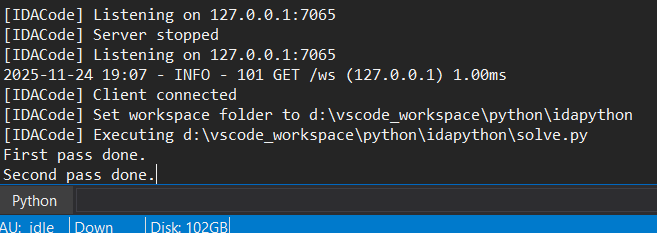
但是我的已经patch过了,所以没有显示出patch的地址,如果是没有patch过的程序会显示出地址,双击可以跳转到地址处查看是否patch错了位置.
接下来就可以删除i64,保存patch,让ida重新分析了
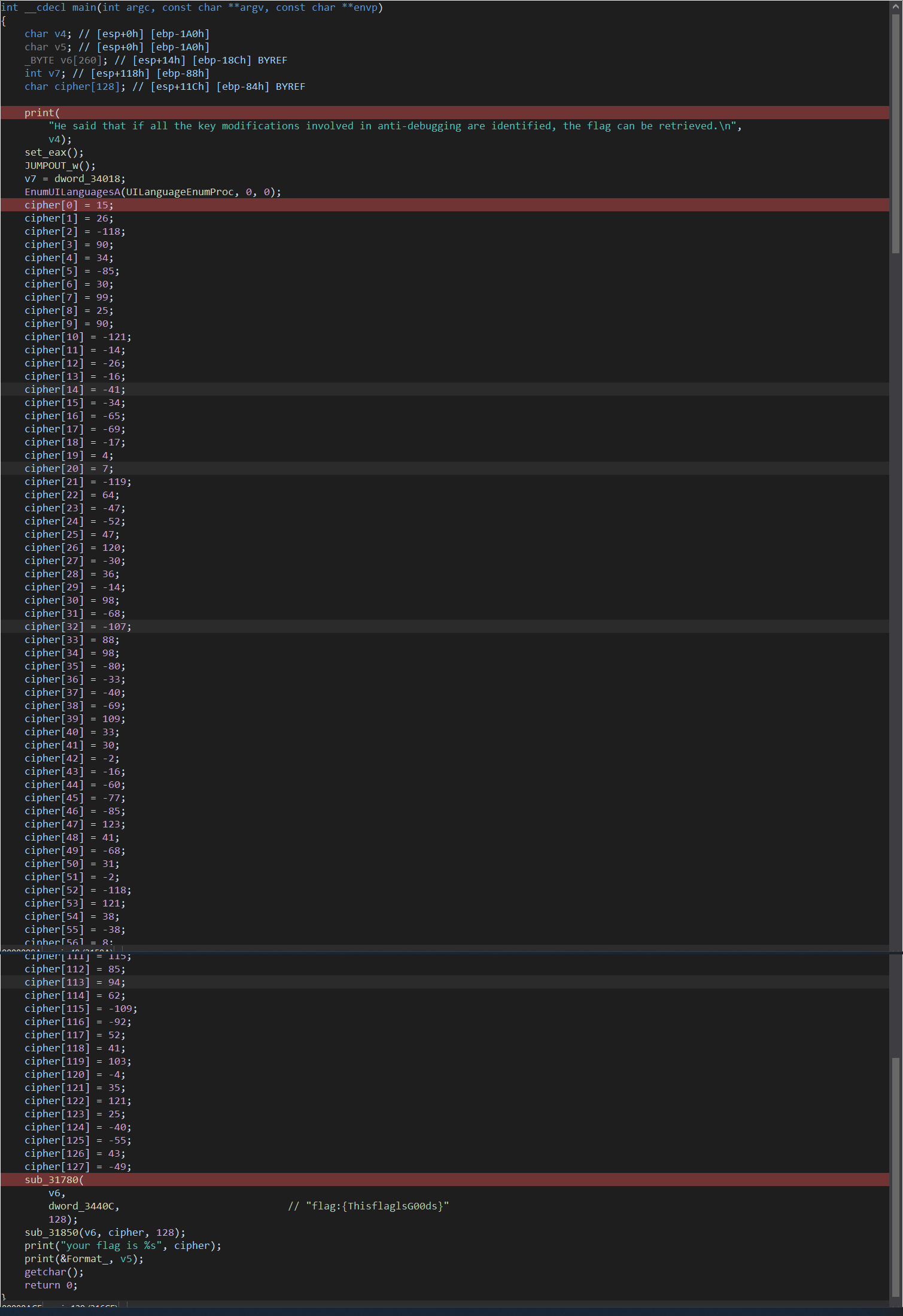
可以看到已经能还原原来的逻辑了.